
proPilot 5.10.0 is now live — welcome to an even more powerful experience!
Let’s discover the new features and improvements designed to enhance the user experience and accelerate the monitoring of your initiatives!

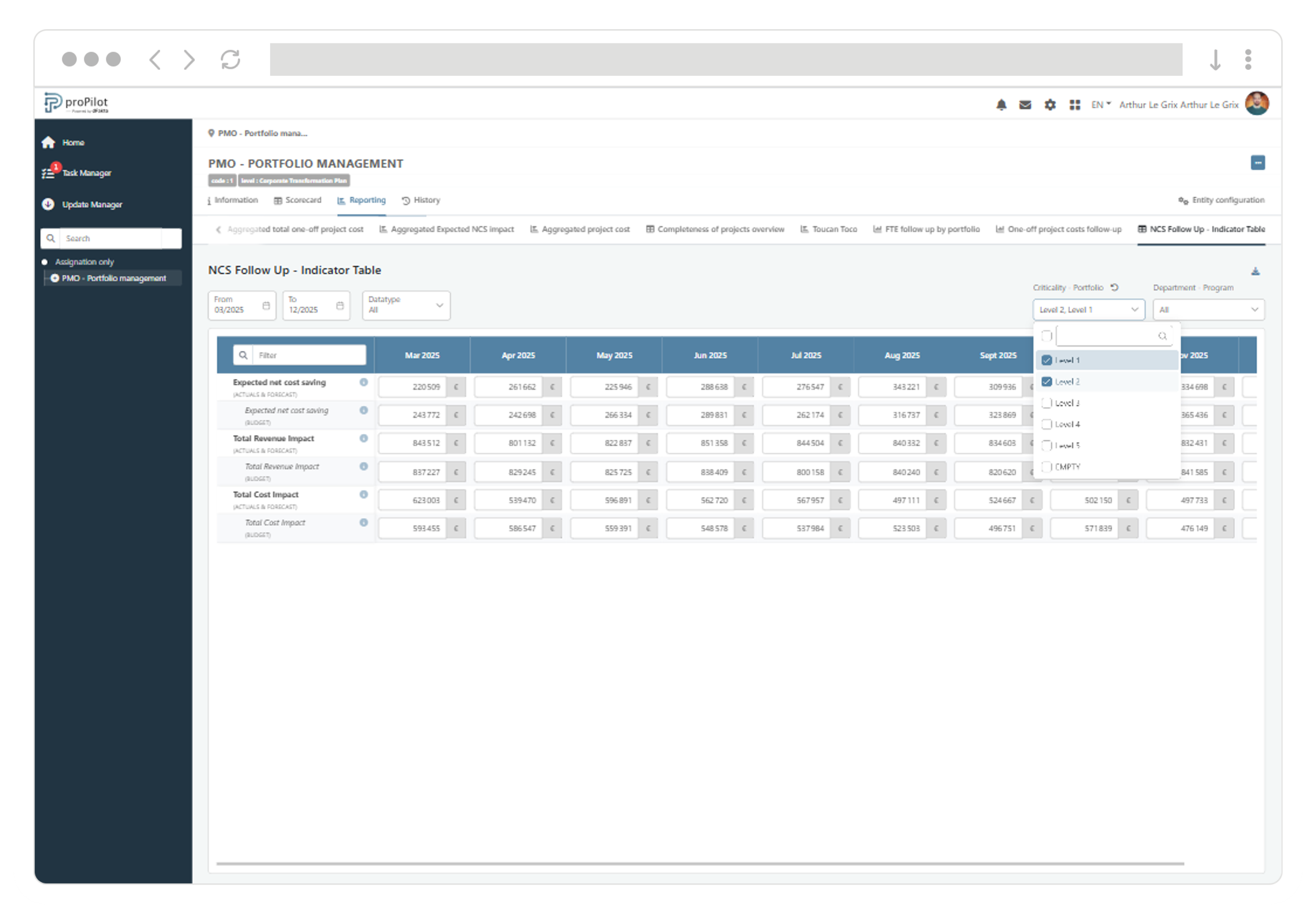
Explore and filter consolidated data with a new fully customizable Indicator Table
Administrators can now create multiple Aggregated Indicator Table views, while users benefit from a flexible and filterable experience tailored to their needs.
-
Configure either a dynamic mode powered by all available aggregatable indicators and data types, or a configurable mode based on a selection of indicators with a customized display using formatting options.
-
Configure the period, indicators, data types, and up to six reference filters. Arrange filters and indicators in the most relevant order.
-
As a user, benefit from simplified analysis through search, data type comparison, filtering and cross-filtering, as well as access to indicator details and contributing values by entity.
-
Export all displayed values, based on the selected filters, into a structured Excel document.
A lot is happening… Multiple improvements are included in every new release!
Unified Charts are now clearer and more reliable
Unified Charts now provide a clearer view of data series and fully support automatically calculated indicators.
-
Quickly distinguish between multiple series based on the same indicator thanks to the combined display of the indicator name and data type in legends, labels, and tooltips.
-
Analyze automatically calculated indicators in your charts, with values remaining available regardless of the filters applied.
Information administration is becoming more robust
-
Deleting an information field is now simpler when it has been removed from all property sets.
Consolidated data is becoming more reliable
-
Values entered in an Indicator Table now update the Aggregated Indicator Table, regardless of the indicator’s aggregation mode.
Entity pages are becoming easier to read
-
Spacing and alignment on the Information page have been optimized to improve navigation and readability.