The PowerPoint export (.ppt) lets you instantly turn your proPilot visualizations into a clear, shareable presentation—without screenshots or manual formatting. You get a report ready for a committee, a steering review, or external sharing, with a consistent and reusable layout.
During generation, you can choose the output format for each visualization and adjust the indicators and data types displayed.
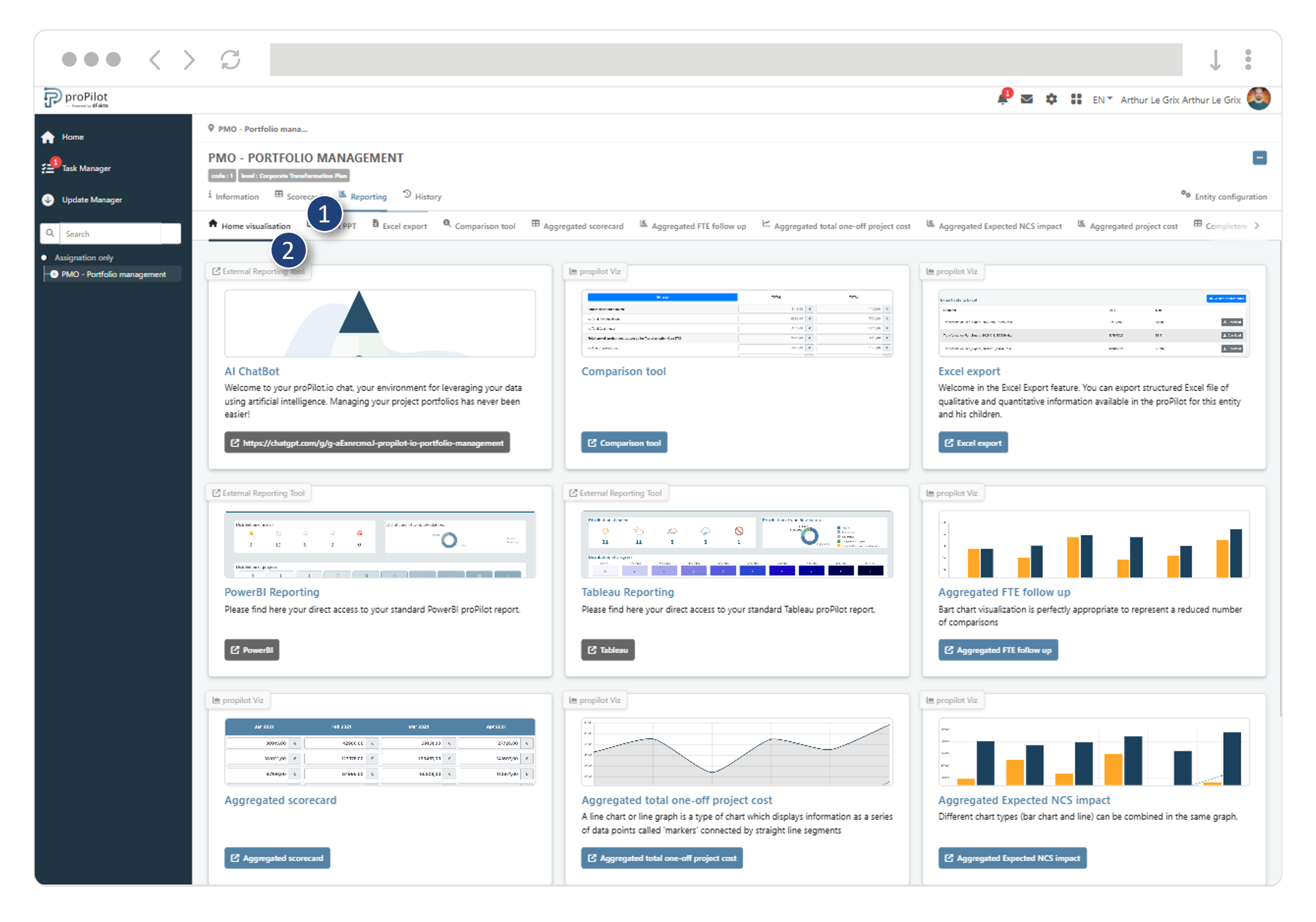
The export scope is limited to the visualizations shown on the Visualization tab homepage. The PPT export supports both charts and information tables.
Access the PPT export
-
Open your entity and go to the Visualization tab.
-
Click PPT Export.
Generate a PPT export
-
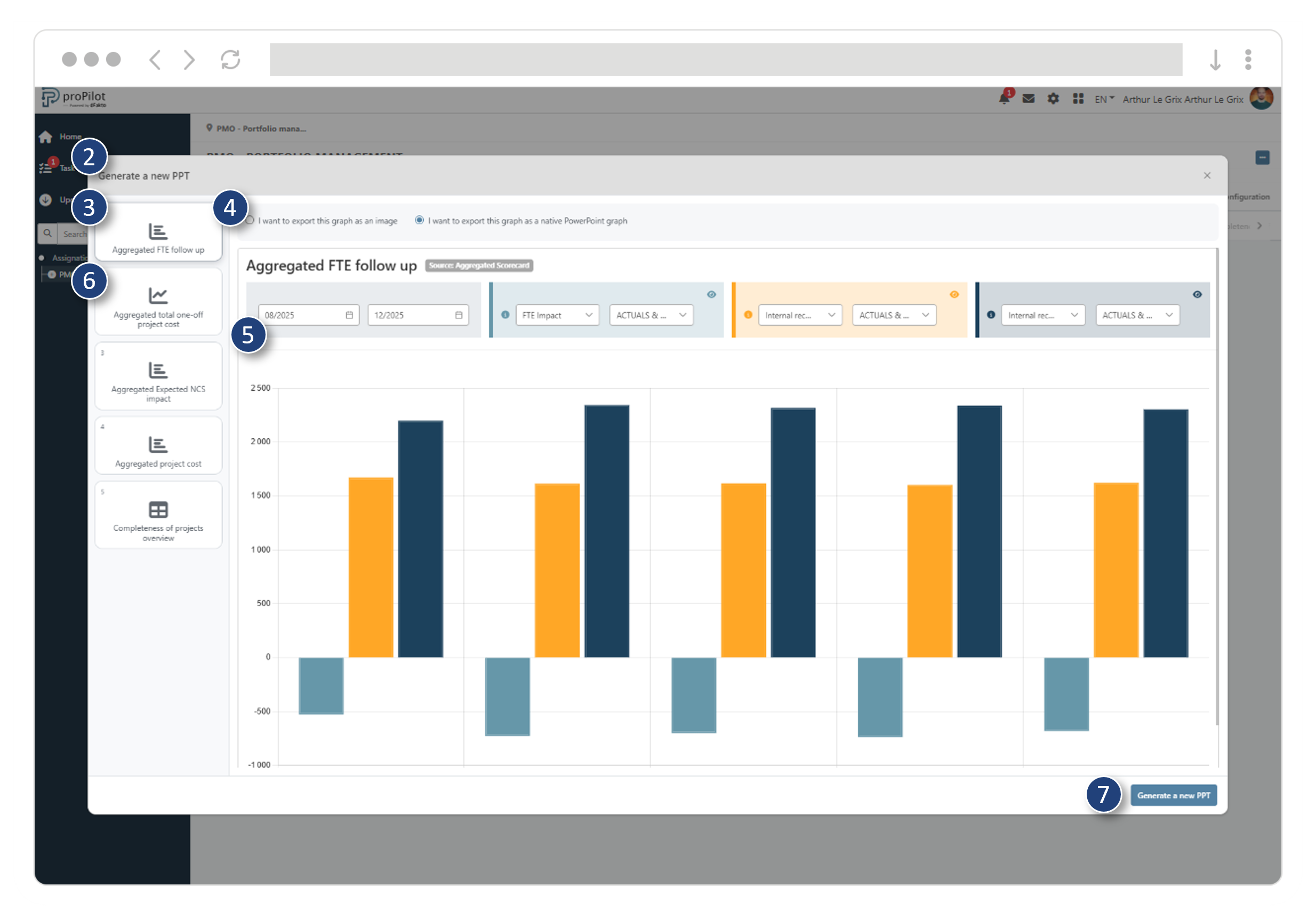
On the PPT Export page, click Generate a new PPT.
-
The generation window opens and shows the list of exportable visualizations.
-
Browse the available visualizations in the list (left column).
-
For the selected visualization, choose the export mode:
-
Image if you want a fixed output, identical to what is displayed on screen.
-
Native PowerPoint chart if you want an editable output, resizable without quality loss, with embedded data (numbers) that can be edited directly in PowerPoint.
-
-
Still for the selected visualization, adjust the available filters (e.g., indicator, data type).
-
Repeat for other visualizations if you want different scopes across the report pages.
-
Click Generate a new PPT and download the report.